


 Vietnamese


Mô tả Meta
Khám phá phần cứng máy chủ tốt nhất cho ảo hóa VMware vào năm 2026. Tìm hiểu các yêu cầu về CPU, bộ nhớ, lưu trữ cũng như cấu hình máy chủ Dell và HPE được đề xuất cho khối lượng công việc của doanh nghiệp.
Máy chủ tốt nhất cho ảo hóa VMware năm 2026
Ảo hóa đã trở thành nền tảng của cơ sở hạ tầng CNTT doanh nghiệp hiện đại. Các công ty trong các ngành tài chính, y tế, giáo dục và dịch vụ đám mây đang ngày càng áp dụng nền tảng ảo hóa để nâng cao hiệu quả, giảm chi phí và đơn giản hóa việc quản lý CNTT.
Trong số tất cả các nền tảng ảo hóa, VMware vSphere vẫn là một trong những giải pháp được sử dụng rộng rãi nhất trong môi trường doanh nghiệp.
Một câu hỏi quan trọng dành cho các nhà quản lý CNTT và nhóm mua sắm là:
Máy chủ nào tốt nhất cho ảo hóa VMware vào năm 2026?
Bài viết này cung cấp hướng dẫn đầy đủ để giúp doanh nghiệp chọn phần cứng máy chủ phù hợp cho môi trường VMware, bao gồm CPU, bộ nhớ, bộ lưu trữ và các mẫu máy chủ doanh nghiệp được đề xuất.

1. Điều gì tạo nên một máy chủ VMware tốt?
Máy chủ sẵn sàng cho VMware phải có khả năng xử lý nhiều máy ảo (VM) một cách hiệu quả trong khi vẫn duy trì tính ổn định và hiệu suất.
Các yêu cầu chính bao gồm:
- Hiệu suất CPU lõi cao
- Dung lượng bộ nhớ lớn
- Lưu trữ nhanh và đáng tin cậy (SSD/NVMe)
- Bảo vệ đột kích
- Khả năng mở rộng mạng
- Dự phòng phần cứng
Máy chủ doanh nghiệp từ các nhà cung cấp hàng đầu như Dell Technologies và Hewlett Packard Enterprise thường được sử dụng để triển khai VMware.
2. Yêu cầu CPU đối với máy chủ VMware
CPU là một trong những thành phần quan trọng nhất trong môi trường ảo hóa.
Các tính năng CPU được đề xuất:
- Kiến trúc đa lõi (khuyến nghị tối thiểu 16 lõi)
- Tần suất cơ bản cao cho khối lượng công việc hiệu suất
- Hỗ trợ bộ xử lý Intel Xeon Scalable hoặc AMD EPYC
Thực hành tốt nhất:
- Môi trường nhỏ: 8–16 lõi
- Doanh nghiệp vừa: 24–48 lõi
- Trung tâm dữ liệu lớn: Hơn 64 lõi trên mỗi máy chủ
Các máy chủ doanh nghiệp hiện đại của Dell và HPE hỗ trợ cả bộ xử lý Intel Xeon và AMD EPYC, khiến chúng phù hợp với các yêu cầu khối lượng công việc khác nhau.
3. Yêu cầu về bộ nhớ (RAM)
Bộ nhớ rất quan trọng để chạy nhiều máy ảo cùng một lúc.
Dung lượng RAM được đề xuất:
- Ảo hóa cấp cơ sở: 64GB–128GB
- Khối lượng công việc doanh nghiệp: 256GB–512GB
- Môi trường mật độ cao: 1TB+
Môi trường VMware hoạt động tốt hơn đáng kể khi bộ nhớ không được đăng ký vượt mức.
Cân nhắc chính:
Bộ nhớ ECC (Mã sửa lỗi) rất cần thiết cho sự ổn định của doanh nghiệp.
4. Yêu cầu lưu trữ cho VMware
Hiệu suất lưu trữ ảnh hưởng trực tiếp đến tốc độ và khả năng phản hồi của máy ảo.
Các loại lưu trữ được đề xuất:
- SSD NVMe (hiệu suất tốt nhất)
- SAS SSD (cân bằng giữa hiệu suất và chi phí)
- HDD (chỉ lưu trữ hoặc sao lưu)
Cấu hình RAID:
- RAID 10 → Hiệu suất tốt nhất + dự phòng
- RAID 5 → Lưu trữ tiết kiệm chi phí
- RAID 1 → Dự phòng cơ bản
Máy chủ doanh nghiệp thường sử dụng bộ điều khiển RAID phần cứng để có độ tin cậy cao hơn.
5. Các mẫu máy chủ được đề xuất cho VMware
Máy chủ Dell cho VMware
Máy chủ Dell Technologies PowerEdge được sử dụng rộng rãi trong môi trường ảo hóa do tính linh hoạt và hiệu suất của chúng.
Mô hình được đề xuất:
- Dell PowerEdge R760
- Dell PowerEdge R750
- Dell PowerEdge R650
Thuận lợi:
- Triển khai dễ dàng
- Hiệu suất ảo hóa mạnh mẽ
- Tùy chọn cấu hình linh hoạt
- Tỷ lệ chi phí-hiệu suất cạnh tranh
Máy chủ HPE cho VMware
Máy chủ Hewlett Packard Enterprise ProLiant được biết đến với độ ổn định cấp doanh nghiệp và độ tin cậy lâu dài.
Mô hình được đề xuất:
- HPE ProLiant DL380 Gen11
- HPE ProLiant DL360 Gen11
Thuận lợi:
- Độ tin cậy cao
- Tính năng bảo mật mạnh mẽ
- Quản lý vòng đời doanh nghiệp
- Tuyệt vời cho khối lượng công việc quan trọng
6. Dell vs HPE cho môi trường VMware
|
Tính năng |
Máy chủ Dell |
Máy chủ HPE |
|
Hiệu suất |
Xuất sắc |
Xuất sắc |
|
Ảo hóa linh hoạt |
Rất cao |
Cao |
|
Sự ổn định |
Cao |
Rất cao |
|
Hiệu quả chi phí |
Tốt hơn |
Vừa phải |
|
Áp dụng doanh nghiệp |
Rất cao |
Rất cao |
Bản tóm tắt:
- Dell thường được ưu tiên triển khai ảo hóa linh hoạt và tiết kiệm chi phí
- HPE thường được chọn vì sự ổn định của doanh nghiệp và môi trường quan trọng
7. Cân nhắc về mạng
Máy chủ VMware phải hỗ trợ kết nối mạng tốc độ cao để xử lý lưu lượng VM một cách hiệu quả.
Thiết lập mạng được đề xuất:
- Tối thiểu 10GbE cho môi trường doanh nghiệp
- 25GbE trở lên cho trung tâm dữ liệu
- Bộ điều hợp mạng dự phòng để có tính sẵn sàng cao
8. Những lỗi thường gặp khi chọn máy chủ VMware
Nhiều doanh nghiệp mắc sai lầm khi lựa chọn phần cứng ảo hóa:
- Đánh giá thấp yêu cầu bộ nhớ
- Sử dụng ổ cứng HDD thay vì SSD/NVMe
- Phân bổ lõi CPU không đủ
- Bỏ qua cấu hình RAID
- Thiếu kế hoạch mở rộng
Lập kế hoạch phù hợp đảm bảo hiệu suất lâu dài tốt hơn và giảm chi phí vận hành.
9. Ví dụ về cấu hình máy chủ VMware thực tiễn tốt nhất
Cấu hình ví dụ:
- CPU: Intel Xeon Gold 6430 kép (tổng cộng 32–64 lõi)
- RAM: 256GB–512GB ECC
- Lưu trữ: SSD NVMe + RAID 10
- Mạng: 10/25GbE kép
- Dự phòng: Nguồn điện kép
Cấu hình này được sử dụng rộng rãi trong môi trường ảo hóa doanh nghiệp.
10. Xu hướng tương lai của cơ sở hạ tầng VMware
Ảo hóa doanh nghiệp đang phát triển theo hướng:
- Tích hợp đám mây lai
- Hỗ trợ khối lượng công việc AI
- Kiến trúc máy chủ mật độ cao hơn
- Hệ thống lưu trữ dựa trên NVMe
- Quản lý cơ sở hạ tầng tự động
Các máy chủ hiện đại phải sẵn sàng cho tương lai để hỗ trợ những xu hướng này.
Phần kết luận
Việc chọn máy chủ tốt nhất cho ảo hóa VMware phụ thuộc vào quy mô khối lượng công việc, yêu cầu về hiệu suất và nhu cầu về khả năng mở rộng.
Nói chung:
- Máy chủ Dell Technologies lý tưởng cho môi trường ảo hóa linh hoạt, tiết kiệm chi phí
- Máy chủ Hewlett Packard Enterprise lý tưởng cho sự ổn định cấp doanh nghiệp và các hệ thống quan trọng
Cả hai tùy chọn đều được sử dụng rộng rãi trong cơ sở hạ tầng CNTT doanh nghiệp toàn cầu.
Câu hỏi thường gặp (FAQ)
Máy chủ tốt nhất cho VMware là gì?
Máy chủ doanh nghiệp Dell và HPE đều là những lựa chọn tuyệt vời, tùy thuộc vào yêu cầu về hiệu suất và độ ổn định.
Tôi cần bao nhiêu RAM cho máy chủ VMware?
Nên sử dụng ít nhất 64GB nhưng việc triển khai cho doanh nghiệp thường yêu cầu 256GB trở lên.
SSD có cần thiết cho VMware không?
Đúng. Nên lưu trữ SSD hoặc NVMe cho khối lượng công việc ảo hóa.
Tôi có thể chạy VMware trên bất kỳ máy chủ nào không?
Về mặt kỹ thuật thì có, nhưng máy chủ doanh nghiệp của Dell hoặc HPE được khuyên dùng để đảm bảo tính ổn định và hiệu suất.
Liên hệ với chúng tôi
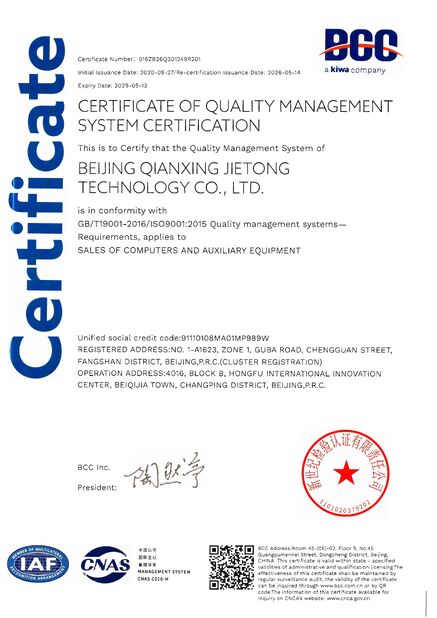
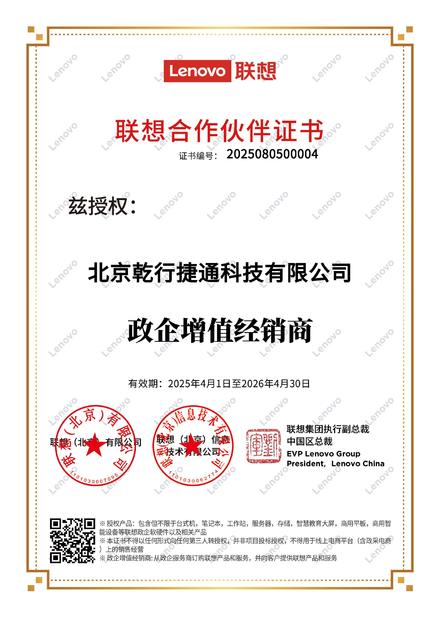
Công ty TNHH Công nghệ Qianxing Jietong Bắc Kinh cung cấp các giải pháp máy chủ VMware dành cho doanh nghiệp bao gồm:
- Máy chủ Dell PowerEdge
- Máy chủ HPE ProLiant
- Thiết kế cơ sở hạ tầng ảo hóa
- Giải pháp trung tâm dữ liệu
- Dịch vụ cung cấp máy chủ toàn cầu
Hãy liên hệ với chúng tôi ngay hôm nay để có được cấu hình máy chủ VMware tùy chỉnh cho doanh nghiệp của bạn.
Công ty TNHH Công nghệ Qianxing Jietong Bắc Kinh
Sandy Yang/Giám đốc chiến lược toàn cầu
WhatsApp / WeChat: +86 13426366826
Email: yangyd@qianxingdata.com
Trang web: www.qianxingdata.com/www.storagesserver.com
Trọng tâm kinh doanh:
Phân phối sản phẩm CNTT/Tích hợp hệ thống & Dịch vụ/Giải pháp cơ sở hạ tầng
Với hơn 20 năm kinh nghiệm phân phối CNTT, chúng tôi hợp tác với các thương hiệu hàng đầu thế giới để cung cấp các sản phẩm đáng tin cậy và dịch vụ chuyên nghiệp.
“Sử dụng công nghệ để xây dựng một thế giới thông minh”Nhà cung cấp dịch vụ sản phẩm CNTT đáng tin cậy của bạn!